CyberSmart Technologies has rebranded.
Welcome to Rollcage Defence.

The dirty secret of OTP recovery codes
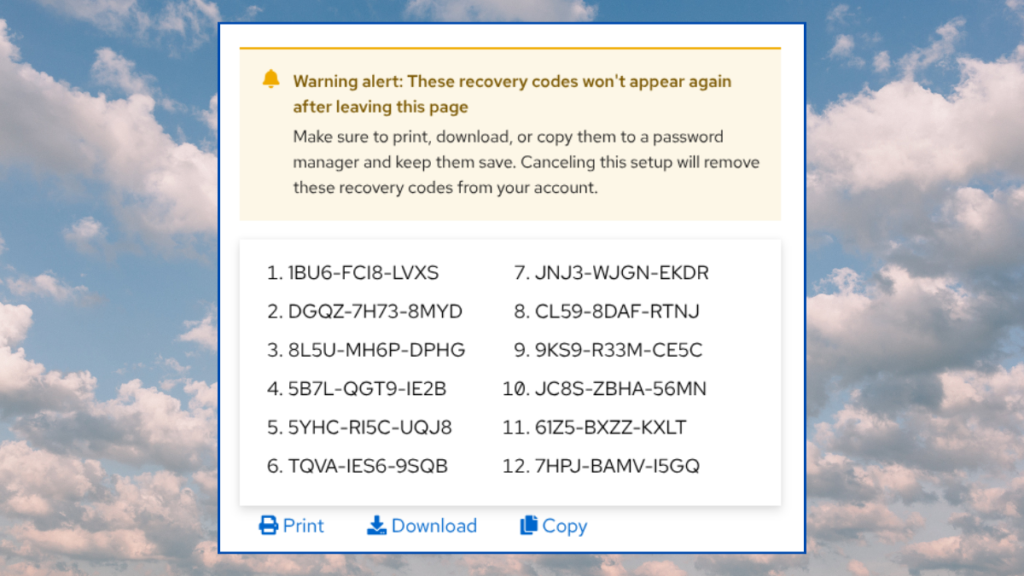
Have you ever wondered how those OTP recovery, or backup, codes work? I know we are told to ‘keep them safe’ but what happens if we don’t. What’s the worst that could happen?
How TOTP Works
Here’s a quick recap on the three main security factors [1] for authentication:
- Something you know – Passwords, PINs, PassPhrases
- Something you have – A device or object containing a secret
- Something you are – Biometrics
TOTP is a second factor [2] which can be used in addition your password – a ‘something you know’ credentials. We previously explored how TOTP works in depth, but for now recall that TOTP is:
- An algorithm (RFC 6238)
- Using time as a moving challenge
- That proves knowledge of a shared secret
- Without revealing it
When TOTP stores this shared secret in an Authenticator App, then TOTP becomes a second authentication factor. We call TOTP ‘Something you have’ because it is:
Possession of a device that holds the shared secret
Recovery codes are not second factors
Remember those ‘TOTP recovery codes’ you received when you first registered TOTP for your account? Your recovery codes are still one-time passwords, but the codes have infinite lifetime, and are not bound to a clock. They behave more like the emailed magic-links you sometimes get when logging into apps like Slack or Tines, which are single-use-only.
When you save the recovery codes, you are saving a ‘something you know’ factor, it’s like having a second password. The way you save and store the recovery codes means that they behave like a one-time-use PIN code that you enter after you enter your password.
Recovery codes, by design, allow you to completely bypass TOTP. We fallback from two-factor authentication back to password + pin. This is single-factor authentication.
How to store them
Your recovery codes are a tier-0 secret. They are as important as the TOTP shared secret, but they’re not treated that way. There’s no write-only storage for these codes in a secure device or app. Instead you are encouraged to:
Store these backup codes in a secure place.
Right.
I’m betting that the ‘secure storage’ is a file on Jenny’s or Jimmy’s desktop synced to the cloud. Great. Now we have unencrypted credentials floating about the cloud. We are not told to ‘treat this like a password’.
Your more savvy users will store these recovery codes in their Password Manager. This is probably the least works option. But as we call out above.. we are now just storing two single-factor authentication methods in the same place – the password and the one-time recovery code.
Recommendations
Before we talk solutions we should look at how we got here. Recovery codes are not part of RFC 6238. They originated to prevent the catastrophic consequences of not having any recovery mechanisms when someone loses their phone.
The two most popular apps, Microsoft Authenticator and Google Authenticator, now support cloud-based secure backup of TOTP shared secrets. In addition, there are very few apps which do not provide a fallback recovery mechanism. So we have to ask the question.
Do we actually need to store the TOTP recovery codes, or should we just let them burn?
Root or superuser credentials
So yes, in this case, you absolutely should store the recovery codes as recommended by the app. For root credentials like your AWS, Microsoft 365 or PasswordSafe you absolutely should take the extra steps. As a consolation, there are very few accounts which warrant this level of friction.
You have two main options here.
- Actually print out the recovery codes and store them in a safe.
- Save them onto a pin-protected USB key.
Administrators who need rapid recovery
So… this is where the compromise comes in. We ‘know’ that recovery codes should not be stored with your passwords, but it still ‘probably’ the most secure place store them.
Admins do need a rapid method of recovery if things go south, and ‘bending the rules’ is the least worst solution that doesn’t involve you trying to get access to a safe. For all the dogma and hard rules of the cybersecurity industry, they simply don’t have a great story on how to secure TOTP recovery codes.
Most users should ignore the 2FA recovery codes
Most users cannot or will not store the recovery codes safely. The key takeaways from this article is that we, as administrators need to be aware of just how risky or toxic these magic codes are.
If an admin led or self-recovery mechanism exists.. then your business is much more secure if your user discard those OTP recovery codes instead of saving them to their desktop.
[1] There are other factors such as your location or behaviour but these are the big three.
[2] The purity of the ‘second factor’ label for TOTP is often questioned. Most authenticator apps don’t store the shared secret the TPM or secure hardware enclave of the mobile device. The additional of cloud-backed backups for authenticator apps is good for recovery, but also weakens the claim that the factor prove ‘possession of device which holds the shared secret’.